Click the Priorities tab, or type /rs priorities. It follows your current spec and hero talents.
- Leave the dropdown on Overall for all bosses together, pick one raid boss, or pick Mythic+: bosses or Mythic+: trash pulls (AoE).
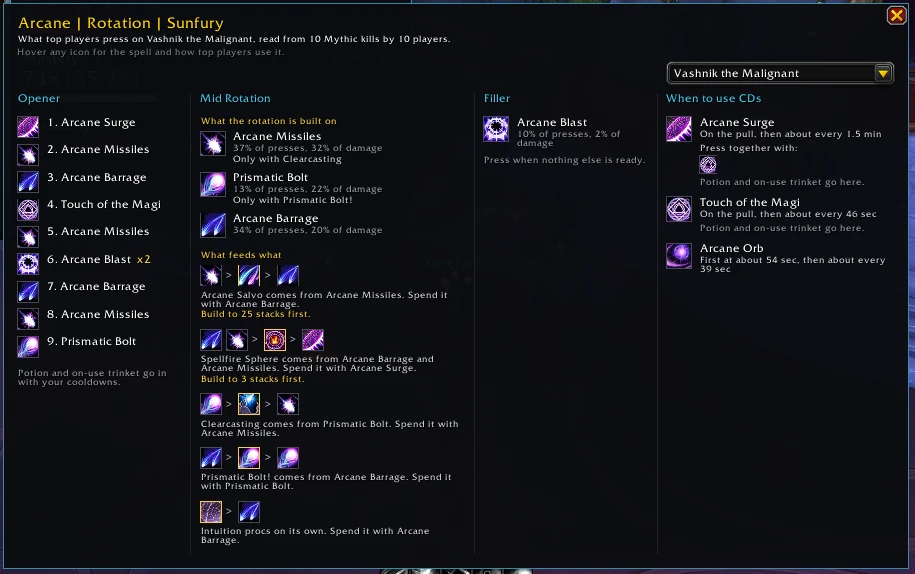
- Read the three columns left to right.
- Hover any icon for the spell's tooltip and a line on how top players use it.
The three columns
- Opener: the presses most top players make at the pull, in their usual order.
- Priority: one numbered list. First, what top players press the moment it's ready, quickest first. Then spenders and other core presses, by what one press is worth. Filler last. A spell that spends a proc says so on its row, like "When Hot Streak! is up".
- When to use CDs: when each long cooldown is first used, how often, and what it's pressed with.
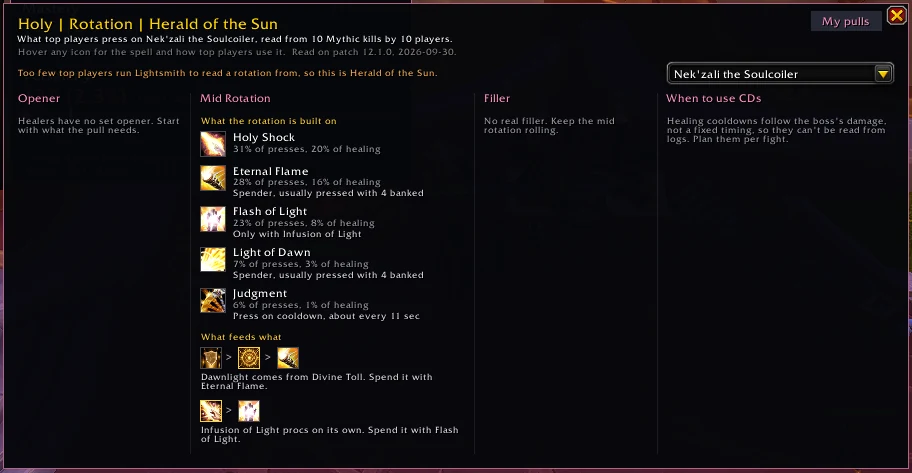
Healers get the Priority column only, since healing cooldowns follow the boss's damage, not a fixed timing.
It's a guide to how your class works and what matters most, not a "press this now" helper. It reads nothing about the fight you're in.
Didn't find your answer?
Ask in the CtrlShiftZed Discord. Questions there help make this wiki better for everyone.
