Recommended Stats
Your secondary stats against targets pulled from top players for your class and spec, plus BiS gear, the talent builds they run for every boss and dungeon, and a rotation guide read from what they actually press.
Everything top players know, on your character screen
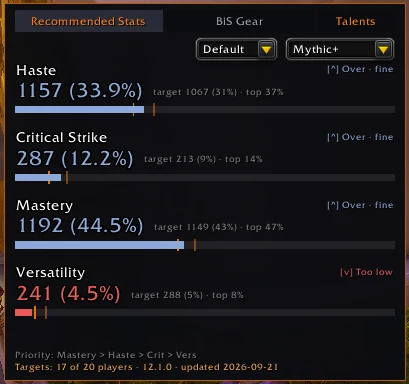
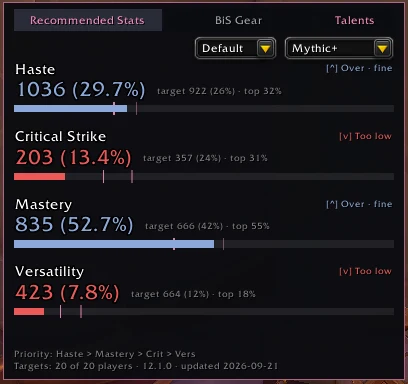
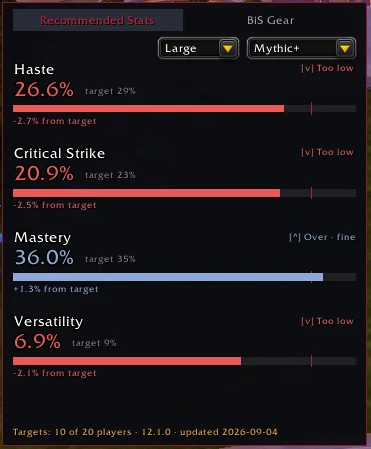
Stat targets
Current vs. target for Haste, Crit, Mastery and Versatility, with a progress bar and target tick so you see how far off you are, not just over or under.
Raid / Mythic+ toggle
Targets switch to match the content you're actually doing.
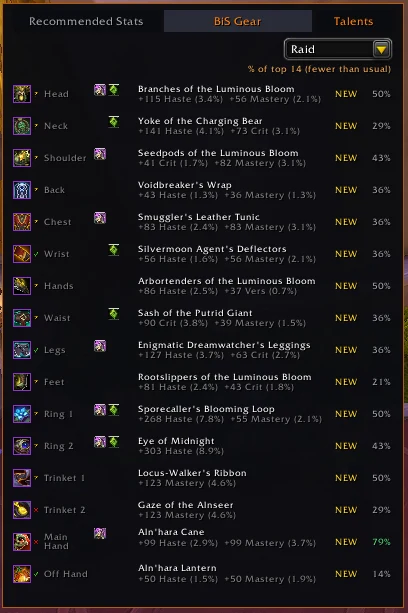
BiS gear panel
The best item per slot for your class, spec and content, with tooltips and a "% of top players using this" figure.
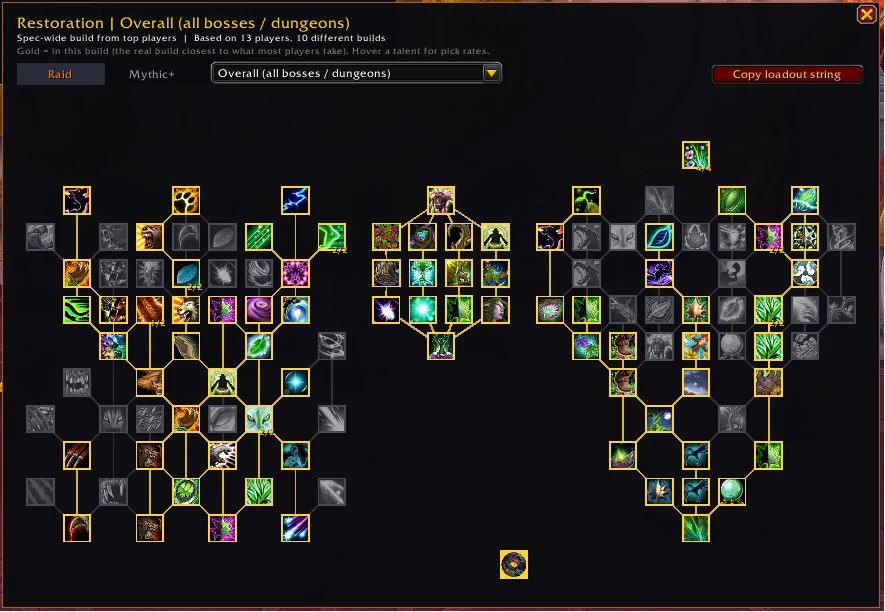
Top player talents
Your full talent tree with the build most top players agree on, per boss or per dungeon, plus one-click loadout string copy.
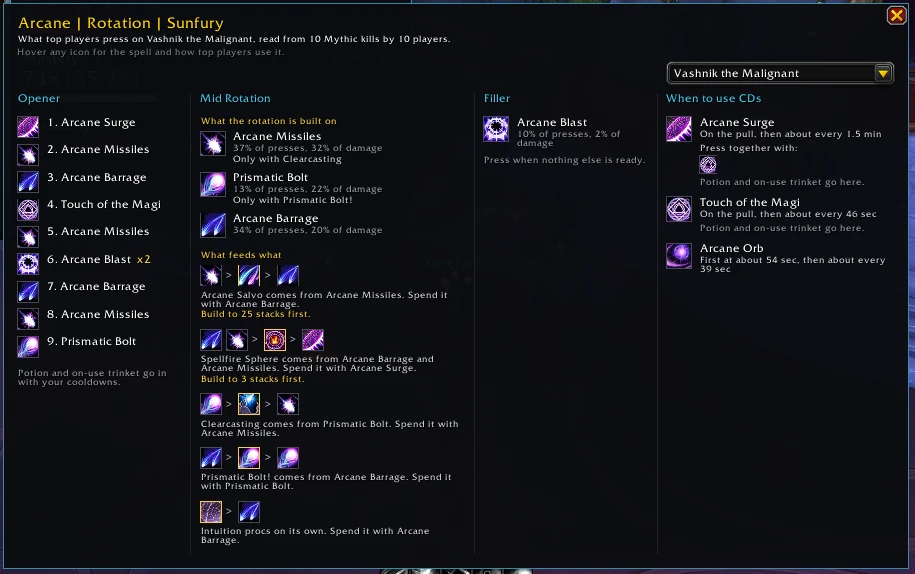
Rotation guide
Opener, core rotation, filler and cooldown timing for your spec and hero talents, read from what top players actually press.
Movable panels
Docked to the character screen by default, or detach and drag anywhere. Positions saved per character.
See it in game
Commands and install
Slash commands
/rsPrint the current content setting/rs raidShow targets for Raid/rs m+Show targets for Mythic+/rs talentsOpen or close the talents window/rs rotationOpen or close the rotation window/rs resetposReset panel positions/rs optionsOpen the options panelInstall
- CurseForge app: search for Recommended Stats and hit Install.
- Manual: download from CurseForge and drop the RecommendedStats folder into
World of Warcraft/_retail_/Interface/AddOns. - Restart the game or type /reload.
More addons
Enjoying RecommendedStats? Support the daily data refreshes.
