
Auction Coach
A simpler, plain-English alternative to TradeSkillMaster for players who want to make gold without learning a complex system. It tells you what your stuff is worth, what to sell and what to keep, with no groups, operations or price formulas.
TSM is a toolbox. This is a coach.
Hover any item and Auction Coach tells you, in plain English, what it's worth and what to do with it. No setup, no price strings.
Got 15 minutes? Here's your plan.
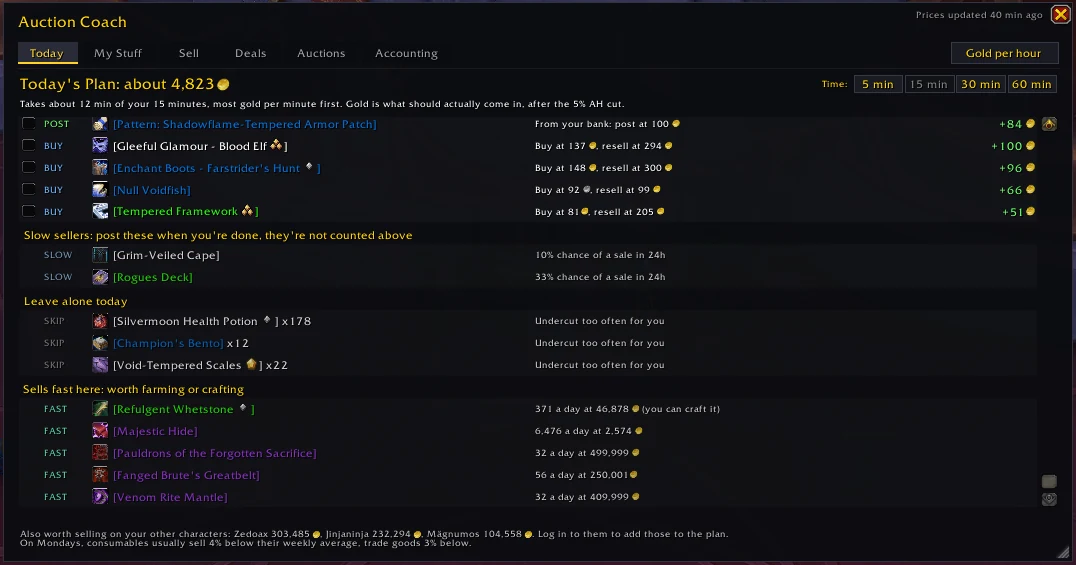
Pick how much time you have and Today's Plan gives you a short to-do list, best gold per minute first: what to post, what to repost after an undercut, which deals to buy and what to leave alone. The gold is what should actually come in, not the best case, and fast sellers on your realm are flagged as worth farming or crafting.
Everything in 1.0
Today's Plan
Pick 5, 15, 30 or 60 minutes and get a ranked to-do list with the gold each step should make. New in 0.16: only steps likely to pay before you're back count, and slow sellers get their own list to post when you're done.
What's it worth
Tooltips say in plain English what an item is worth, how many you have across your characters, whether a vendor pays more and how hard the competition is.
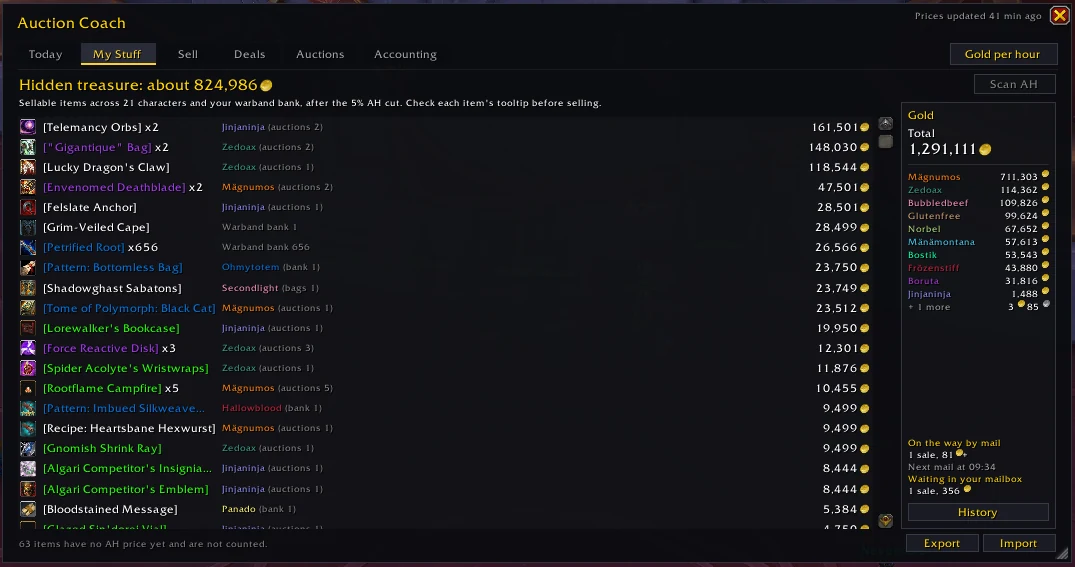
Hidden treasure
The My Stuff tab adds up the AH value of everything sellable across all your characters and your warband bank.
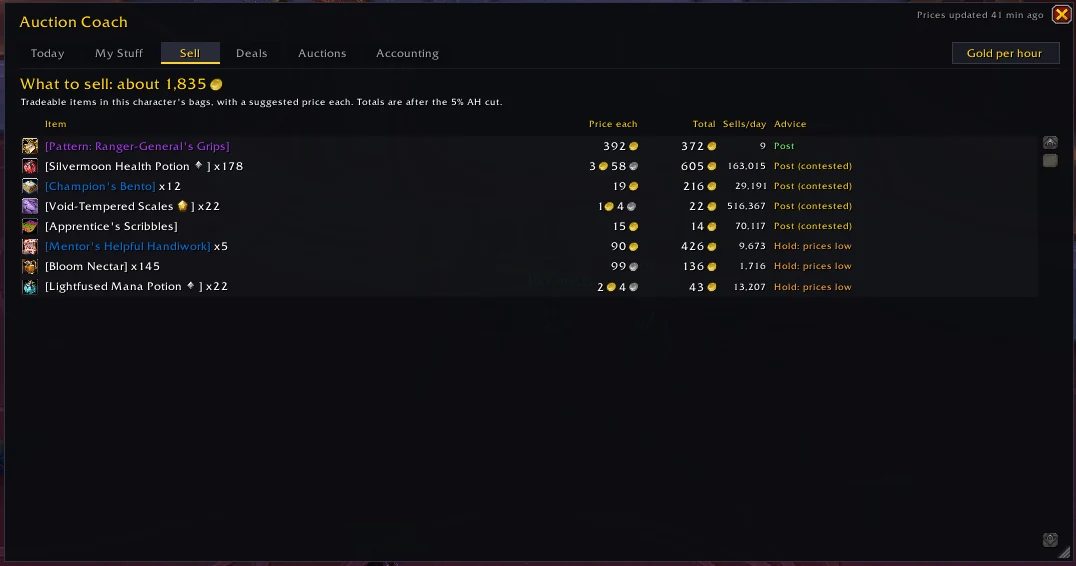
What to sell
The Sell tab lists every tradeable item in your bags with one suggested price and whether to post, hold or vendor it.
Post helper
Suggests a price when you put an item in the AH sell box, with the chance it sells in time. You still click Post.
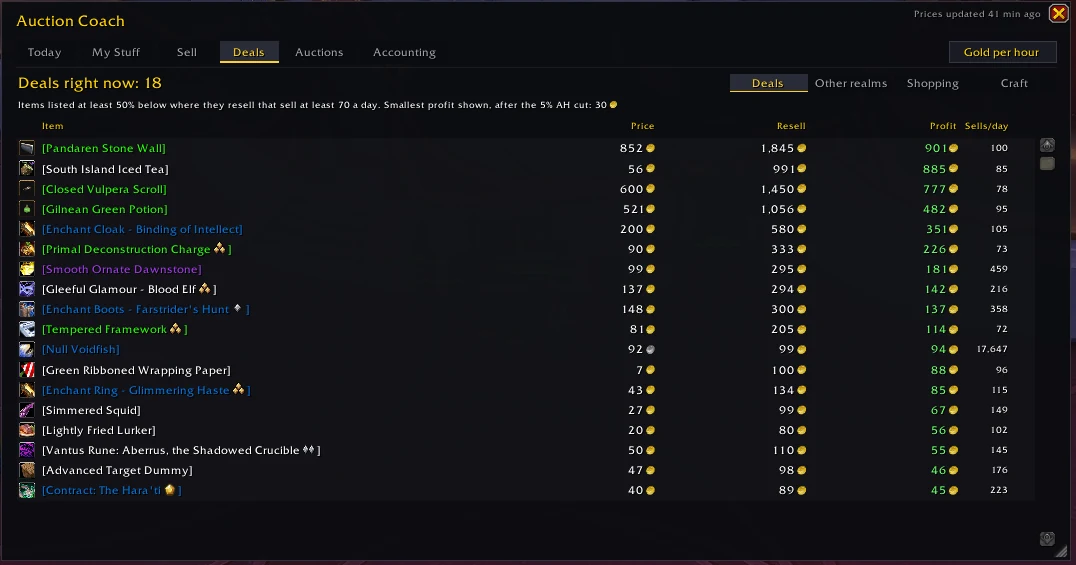
Deals
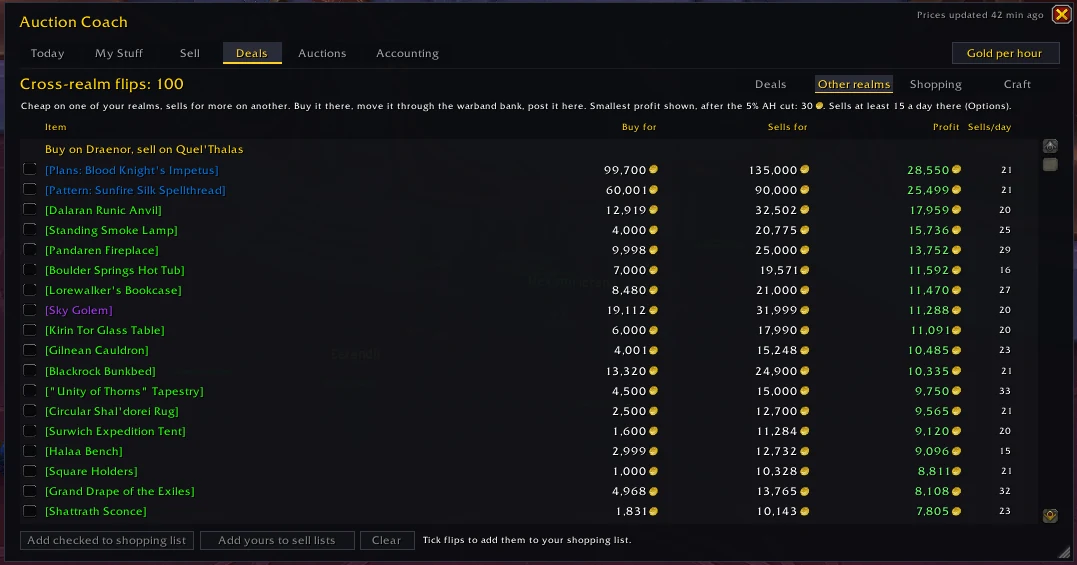
Items listed well below where they resell that sell at least 10 a day and aren't buried in other listings, with the profit after the AH cut. The resell price never goes above the next listings up. Needs the free desktop app (Windows). Buying is up to you.
Undercut timing
Learns how long your listings stay the cheapest, so you know which items get undercut fast.
Seller styles
Casual, active or camper. Advice changes with how often you check the AH, and contested items are flagged.
Vendor and delete protection
Warns before you sell or delete something valuable, and offers to buy back a valuable item you just sold.
Sale messages
New in 0.14: the game never says how many of a stack sold, so the mailbox gives the exact amount and the gold after the AH cut, and the Auctions tab shows how much of a stack has gone.
Saved reports
My report on the website keeps every report in your browser, charts your worth over time and re-prices old ones in a click.
Free desktop app
Optional. Downloads fresh prices every hour, with 14-day averages and sales estimates. It also sends alerts as Windows notifications or Discord messages: undercuts, shopping list prices, expired listings and, new in 0.9, exactly what sold while you were offline. It tells you when there's an update, too.
Auctions and gold
What to do about each listing (keep, repost or cancel), your gold on every character and how it changed day by day.
Shopping list and flips
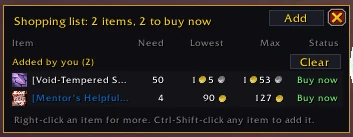
Tells you when an item you want hits your price, and the list opens beside the Auction House with what you need. Alt-click any item to add it (or pick another click, or set a key and press it over any item). Other realms finds items cheap on one of your realms that sell for more on another, grouped by which realm to buy on and which to sell on, with how many a day they must sell up to you. Your own bag and bank items are checked too, with a tooltip line when another of your realms pays more. Tick flips to put them on your shopping list, and it says why when there are none.
Destroy values
What disenchanting, milling or prospecting gives, from your own results and other players', and whether it beats selling.
Craft or sell
Which of your recipes make more on the AH than their materials, at the quality you make, with craft steps in Today's Plan.
Lumber Crafting
Every lumber recipe, known or not, most sold first, with the gold each lumber makes, where to learn it and how much lumber you have. New in 1.4: lumber crafts in Today's Plan, and Lumber Crafting lines on decor, lumber and Essence of Lumber tooltips. New in 1.6: how much lumber you're short, and whether Essence covers it.
Manipulation warnings
New in 0.9: a heads-up when a price looks pushed up by someone resetting the market, so you don't buy into it.
Market calendar
New in 0.9: what today and the Darkmoon Faire usually do to consumable and trade good prices, in Today's Plan.
Cheapest materials
New in 0.12: open a recipe and see the cheapest mix of material qualities for each quality you can make, and the profit. One click puts that mix in the recipe, and it stacks neatly with Patron Planner's order queue.
Gold per hour
New in 0.13: start a session when you farm and see your gold per hour, what your loot is worth and your best items, with a history of past sessions and your own gold per hour for each gathering profession. Minimise it to a small window with just the numbers while you farm.
Your window, your way
New in 0.17: drag the window bigger for wider columns, hide the tabs you don't use, and have it open with the Auction House if you like.
Never suggest it again
New in 0.17: right-click a step to keep raid flasks and potions out of Today's Plan for good, or leave a whole character's items out.
Cheapest or undercut
New in 0.19: a Status column on Blizzard's own Auctions tab says Cheapest or Undercut for each auction, by how much, and how many cheaper auctions there are. Refresh checks the prices for you.
Is it worth crafting?
New in 0.18: under every recipe, cooking and feasts included, what one craft costs with the materials you've chosen and the profit at the quality they make, vendor materials too. Works alongside Auctionator. Profit counts what multicraft and resourcefulness add on average, with your own stats. One button puts the materials for as many as you want on your shopping list.
A gold goal you can share
New in 1.0: set a goal and a deadline on the website and see your pace, the gold a day it needs and when you'll get there. The desktop app keeps it up to date, and the share link shows a name you pick and gold amounts only if you allow it.
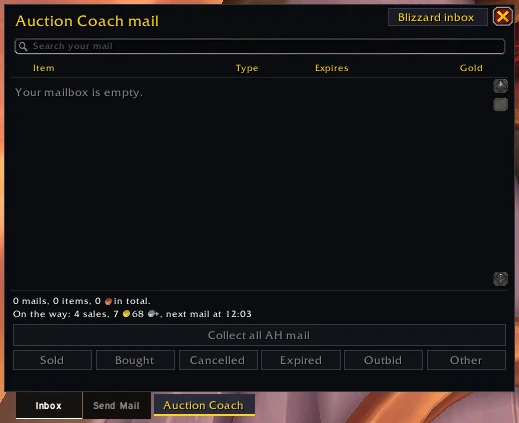
A smarter inbox
New in 1.0: your mail grouped into sold, cancelled, expired and bought, collected with one click, plus the gold still on its way from your sales and when the next mail arrives.
A repost list
The items you post again and again, posted with one click each at Auction Coach's price, never under the floor you set. New in 1.0: groups, and batches to sell once from your bags or expired auctions that leave the list once sold.
Sell lists for your other realms
New in 1.0: tick items that sell for more on another of your realms, move them through the warband bank in one click, and post them there with the repost list.
Why isn't it selling?
New in 1.0: a plain answer for each listing, from undercut to a long queue ahead of you, in game and on your website report, with the fastest sellers on your realms.
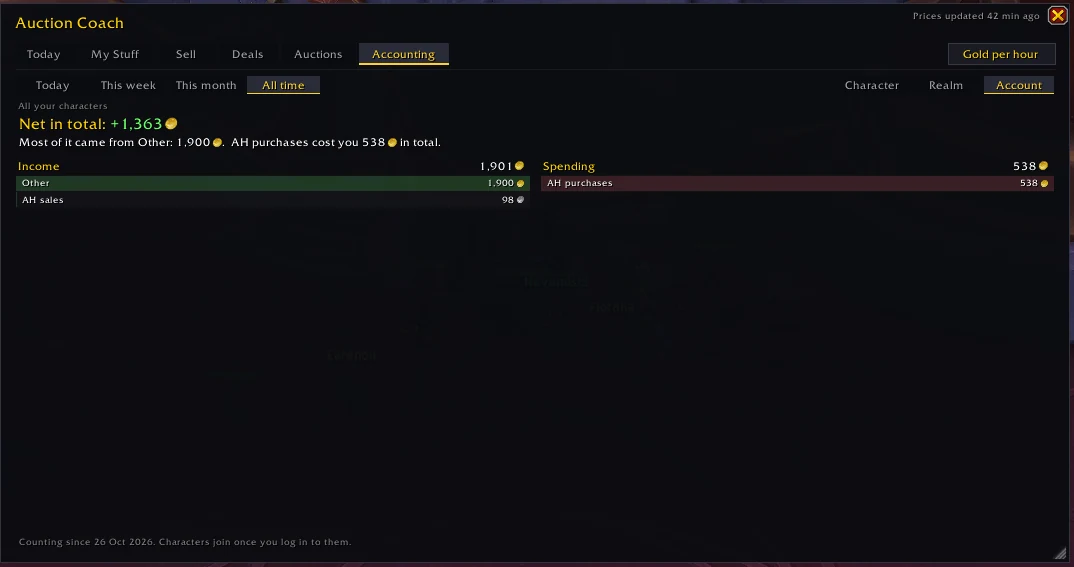
Accounting
New in 1.0: where your gold comes from and goes, by category, for today, this week, this month or all time, per character, realm or account.
See it in game



Commands and install
Slash commands
/acOpen or close the Auction Coach window/ac planOpen Today's Plan/ac shopOpen the shopping list beside the Auction House/ac gphOpen the gold per hour window/ac scanScan the Auction House now (it must be open)/ac tooltipTurn the tooltip advice on or off/ac guardTurn vendor and delete protection on or off/ac salesTurn the sale messages on or off/ac exportCopy your items for the website report/ac importPaste a prices string from the website/ac optionsOpen the optionsInstall
- CurseForge app: search for Auction Coach and hit Install.
- Manual: download from CurseForge and drop the AuctionCoach folder into
World of Warcraft/_retail_/Interface/AddOns. - Log in or type /reload, then open the Auction House once so it can scan.
Optional: the free Windows desktop app downloads fresh prices every hour, with 14-day averages and sales estimates. Download the latest version.
Just getting started
Roadmap
Principles
Plain EnglishEvery number comes with a sentence explaining it.No setupPresets replace groups, operations and price strings.Your clicksAdvises only. You do all buying, posting and cancelling.FreeNo in-game feature is ever paywalled.





Enjoying the addons? They're free and always will be. If you'd like to help keep the updates coming, buy me a coffee, or become a supporter on Patreon and get the Patreon Supporter role on Discord.